Saphira redraws much of the client’s interface in its own style, without changing how the game plays. Each piece can be turned off from the launcher (Settings → Interface).
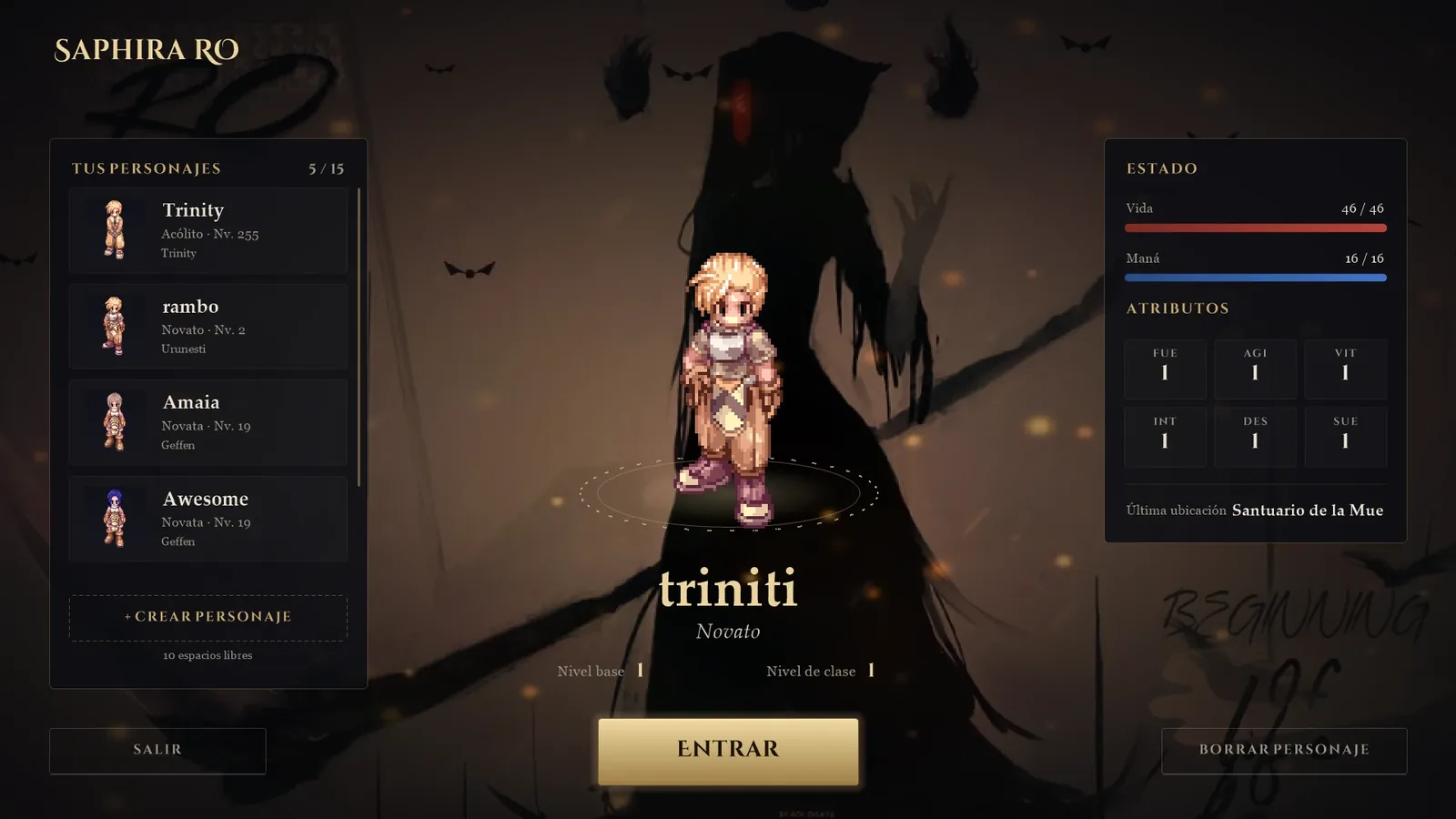
Character selection
- A list of your characters with their real sprite, class, level and city.
- Status panel: HP, SP, stats and last location.
- Remembers the last character you played.
- Create and delete characters from the same screen.
Loading screen
When you enter a map you will see a custom loading screen with tips in your language. When you arrive at a new map, a banner with its name appears at the top.
NPC dialogues
- The character’s portrait, their name and text that types itself out.
- Enter or Space to continue; arrow keys or mouse in menus.
- The window can be dragged wherever you like and remembers its position.